Machinedrum Editor + Monomachine Editor 0.1.0 alpha
Released 2026-09-28
The first public release of two screen-native editors for the Elektron Machinedrum and Monomachine. Each one runs the machine's real firmware in an emulator and puts the whole machine on one page: step grid, parameter-lock lanes, kit and pattern library, song chains, mutes, app LFOs, and a HW MIDI mode that drives a real machine instead of the emulator.
- Machinedrum Editor: a step grid, lock lanes by page and index, kit/pattern library, chains, GLOBAL settings, a
?key list, and LFOs that keep running with the editor closed. - Monomachine Editor: a piano-roll sequencer, lock lanes, POLY, song picker, live and grid recording, and undo that covers library writes.
Both come as a standalone app, a VST3 and an Audio Unit for macOS (Apple silicon and Intel).
Screenshots, features and FAQ: https://mdmm.dev
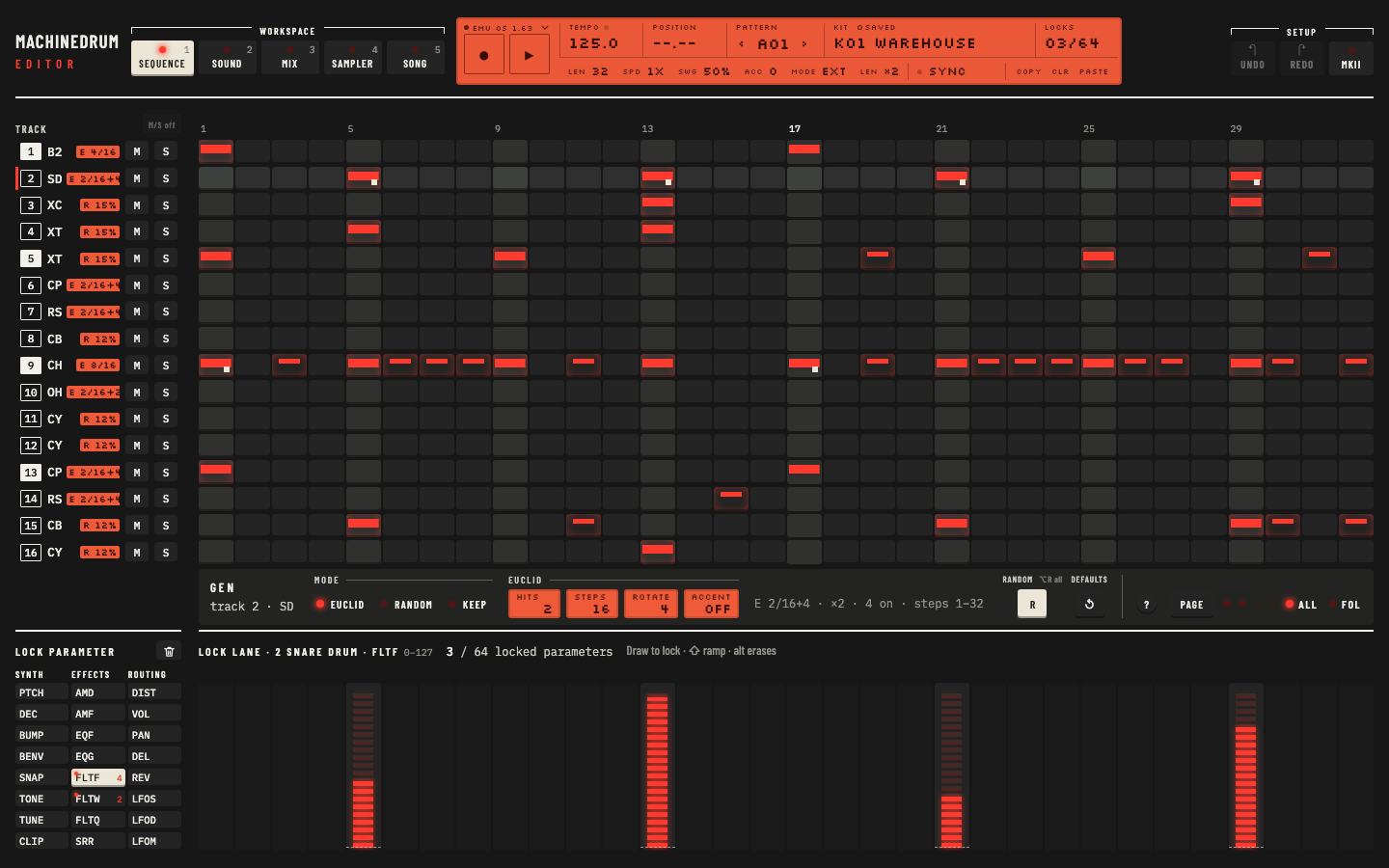
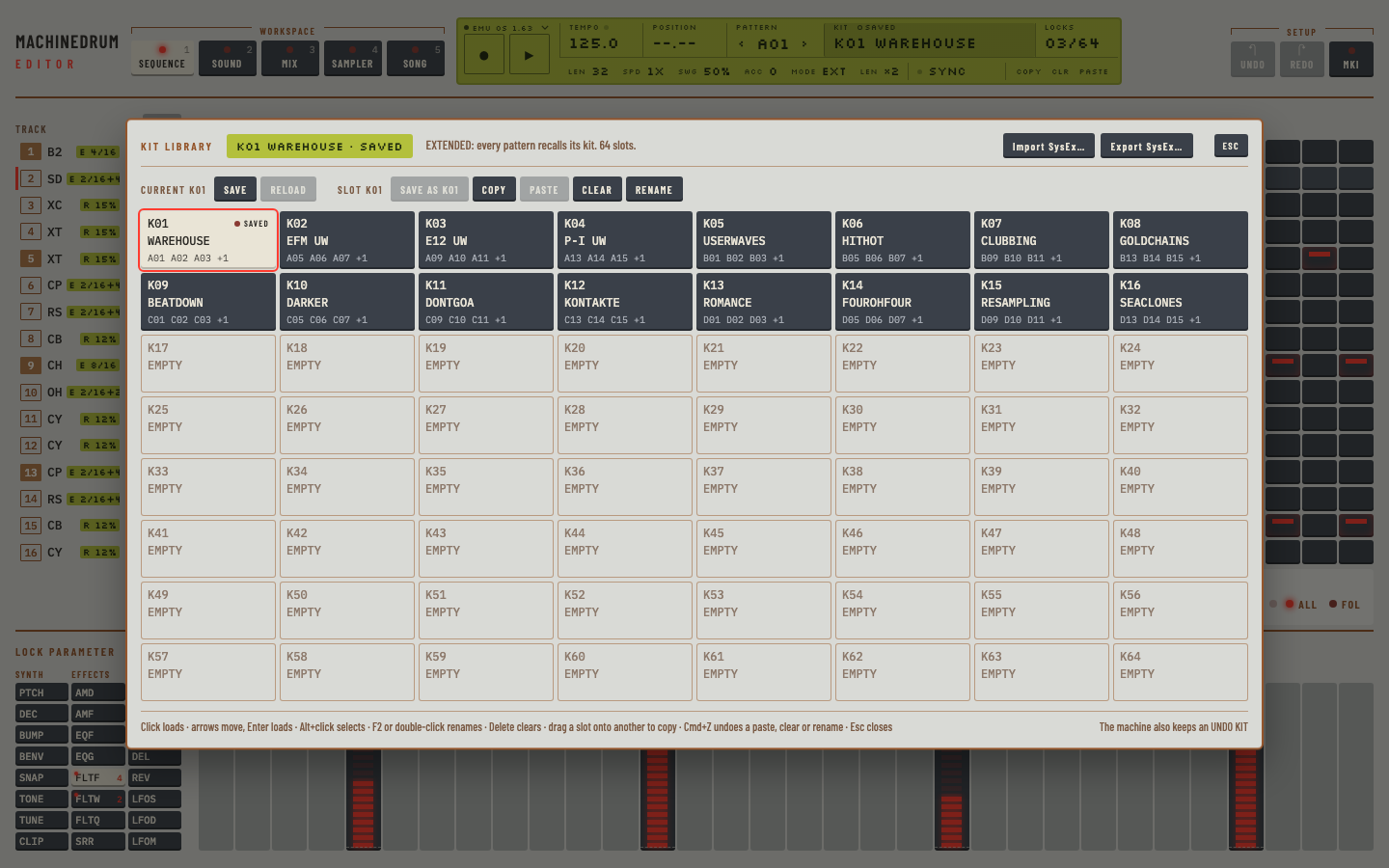
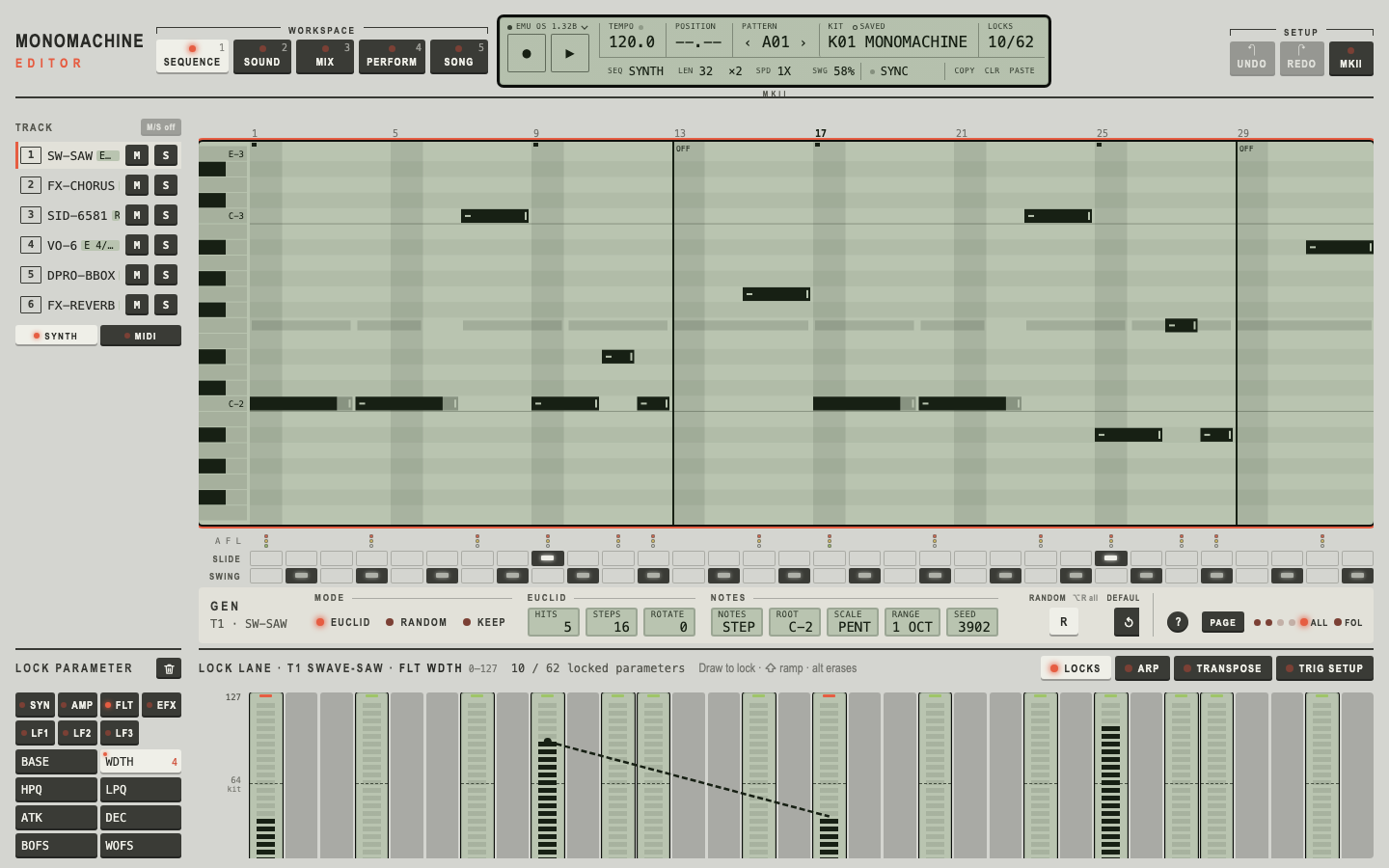
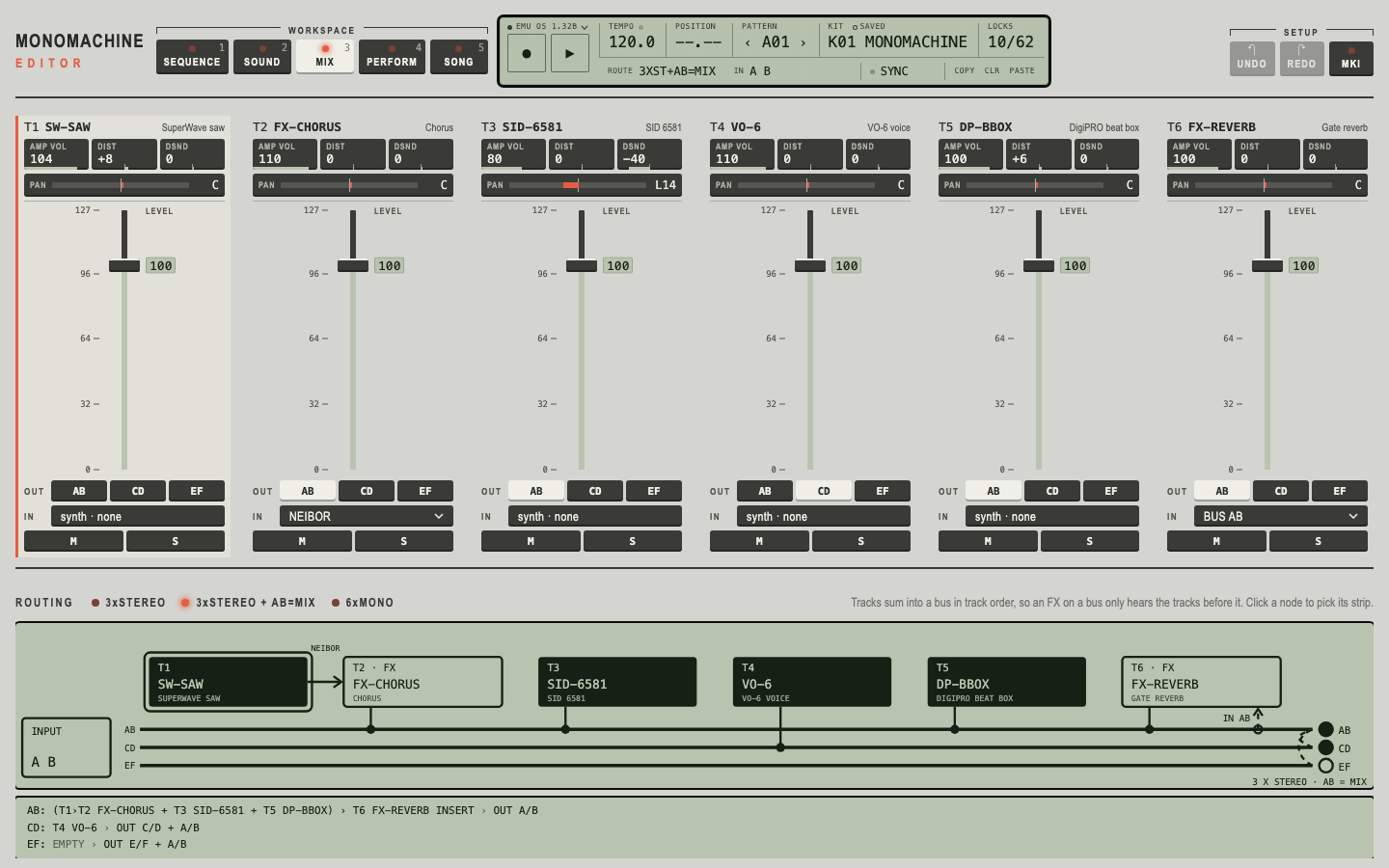
This fork's editors are separate from upstream's mdmm-v0.1.0-alpha.N "Gearmulator MD/MM" builds, which ship the hardware-panel emulation. Those remain at joelanders/gearmulator-md-mm.
Pay what you want
The editors are free software. If they are useful to you, you can pay what you want at https://mdmm.dev/get/. Paying is optional; the download is the same.
Install (macOS)
| File | Installs |
|---|---|
Machinedrum-Editor-macOS.pkg | /Applications/Machinedrum Editor.app, /Library/Audio/Plug-Ins/VST3/Gearmulator MD.vst3, /Library/Audio/Plug-Ins/Components/Gearmulator MD.component |
Monomachine-Editor-macOS.pkg | /Applications/Monomachine Editor.app, /Library/Audio/Plug-Ins/VST3/Gearmulator MM.vst3, /Library/Audio/Plug-Ins/Components/Gearmulator MM.component |
- Download the package for your machine.
- The packages are not signed yet (there is no Apple Developer ID for the project), so macOS blocks them on a plain double-click. Open one in any of these ways:
- Right-click (or Control-click) the
.pkgin Finder, choose Open, then Open again. - Or double-click it, dismiss the warning, then go to System Settings › Privacy & Security, scroll down and click Open Anyway next to the package's name.
- Or in Terminal:
xattr -d com.apple.quarantine ~/Downloads/Machinedrum-Editor-macOS.pkg
- Right-click (or Control-click) the
- Follow the installer. Customize lets you leave out the app, the VST3 or the AU. It asks for your password because it writes to
/Applicationsand/Library. - If the app is blocked the first time you open it, do the same: right-click it in Applications and choose Open, or use Open Anyway, or run:
   xattr -dr com.apple.quarantine "/Applications/Machinedrum Editor.app"
xattr -dr com.apple.quarantine "/Applications/Monomachine Editor.app"- Rescan plug-ins in your DAW. The plug-ins are listed as Gearmulator MD and Gearmulator MM (instruments). If you installed an earlier build by hand into
~/Library/Audio/Plug-Ins, delete those copies so the DAW does not list two.
Terminal install, for scripts:
sudo installer -pkg Machinedrum-Editor-macOS.pkg -target /
sudo installer -pkg Monomachine-Editor-macOS.pkg -target /
To remove: delete the three bundles listed above. Your firmware and settings in ~/Documents stay.
Bring your own ROM
No firmware is included, and none will be provided. The Elektron firmware is Elektron's copyright; the editors are for people who own the machine.
Copy the complete 8 MiB firmware image (.bin) from your own machine into:
| Machine | Folder |
|---|---|
| Machinedrum | ~/Documents/Gearmulator Preview/Machinedrum/roms/ |
| Monomachine | ~/Documents/Gearmulator Preview/Monomachine/roms/ |
If no firmware is found, the editor says so and opens the folder for you. Then restart the app or reload the plug-in. Tested firmware: Machinedrum UW OS 1.63 and Monomachine SFX-60 OS 1.32B.
Please do not ask for, share or link firmware files in the issues or on Discord.
Known limits
This is an alpha. Save often and keep backups.
- HW MIDI is beta and untested on real hardware. It was verified only against the emulator acting as the MIDI peer; no real Machinedrum or Monomachine has been connected yet. Reports are very welcome.
- Over HW MIDI, some controls are disabled because the machine has no MIDI message for them (the editor says why), edits made on the machine before connecting are not seen until SAVE KIT, and the Monomachine's MIDI track mutes shown are the editor's own.
- Machinedrum: LOCAL CTRL and TRIG IN A/B are stored and shown, but their effect is not verified. In the MAP EDITOR, START and QUE were not told apart, and CTRL keymap values (32 and up), if any, are not shown.
- Monomachine: STEP RECORDING (STOP + RECORD) is not on the page; the record key uses GRID and LIVE.
- The page is the only UI. The older hardware-panel skins are not part of these builds.
- Names inside the apps still read "Gearmulator MD" / "Gearmulator MM" (menu bar, DAW plug-in list) and the data folder is
~/Documents/Gearmulator Preview. - The standalone apps use stereo output. Extra output pairs are available in a multi-output VST3 host.
- macOS only for now. Tested on macOS 27 on Apple silicon; the Intel slice is built and checked but not played on an Intel Mac. The packages are unsigned and not notarized.
Credits
- joelanders: the Machinedrum and Monomachine emulation this is built on, running the real firmware.
- The Usual Suspects and the Gearmulator contributors: the emulation framework, the DSP56300 and 68k cores, and the plug-in infrastructure.
- The editors (the Machinedrum Editor and Monomachine Editor pages, HW MIDI mode, installers): Radek Dymacz, NativeKloud.
Licence and trademarks
GPL-3.0, like upstream Gearmulator. The full source for this release is at radekdymacz/gearmulator-md-mm under the mdmm-v0.1.0-alpha tag; the licence text is in LICENSE.md.
Machinedrum, Monomachine and Elektron are trademarks of Elektron Music Machines MAV AB. This project is not affiliated with, endorsed by, or supported by Elektron, The Usual Suspects or joelanders. Please do not contact them for support: use the issues.