Track effects
Each track has four effects after its machine: an amplitude modulator, a one-band EQ, a filter and a sample rate reducer. They act on that track only. Their parameters are part of the kit.
On the Kit workspace they are the first four groups of the second row. A small word at the right of the first group names the machine's EFFECTS page. Each group has a screen and value boxes. Drag a box or a dot on the screen to change a parameter.
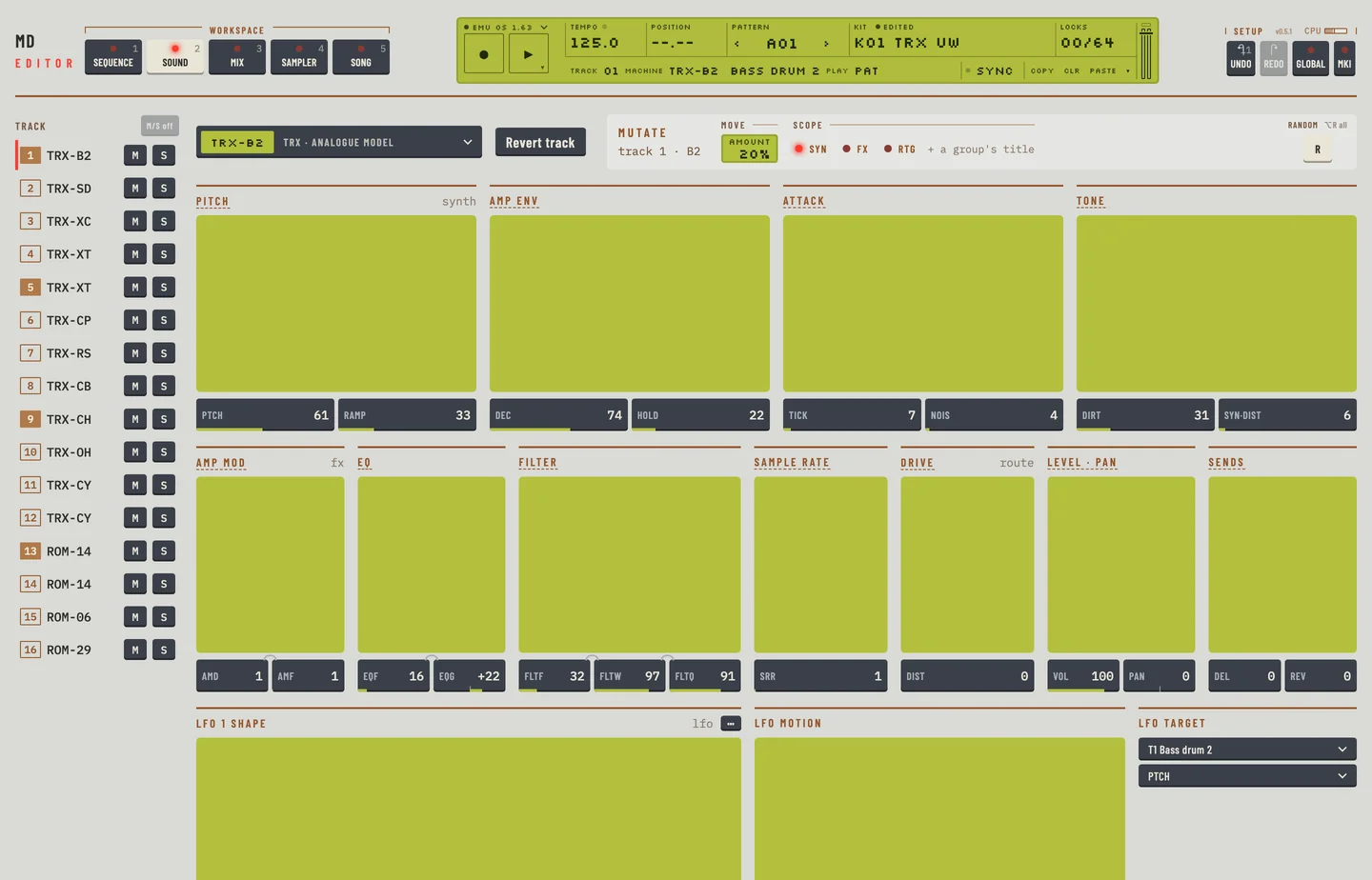
To set an effect:
- Press [2] for the Kit workspace and select a track in the rail.
- Drag the value box of the parameter, or drag a dot on the group's screen.
- Or focus the box and press an arrow key. Each press moves the value one step.
- Press [⌘] + [Z] to take the change back.
To lock an effect parameter to a step, open the Pattern workspace and click the parameter's key in the lock lane, in the row of keys labelled Effects. Chapter 8 describes the lock lane.
AMPLITUDE MODULATOR #
MD manual p.22
The group Amp mod holds AMD and AMF. It modulates the level of the track, like a tremolo.
- AMD is the depth of the modulation.
- AMF is the frequency of the modulation.
The screen shows the level the modulator leaves. The dot sets AMF sideways and AMD upward.
TRACK EQ #
MD manual p.23
The group EQ is a one-band parametric EQ. Use it to boost or cut one range of frequencies.
- EQF is the centre frequency of the band.
- EQG is the gain. It shows -64 to +63. Negative values cut the band, positive values boost it, and 0 leaves the sound as it is.
The dot on the screen moves the band: sideways for EQF, up to boost and down to cut.
FILTER #
MD manual pp.23, 24
The group Filter is a resonant filter with two cut-offs. You set the lower cut-off and the width of the band between them, so it works as a high-pass, a low-pass or a band-pass filter.
- FLTF is the base frequency, the lower edge of the band.
- FLTW is the width. The upper edge is FLTF plus FLTW.
- FLTQ is the resonance. It boosts the sound around the edges.
The screen shows the band that passes. The left dot sets FLTF sideways and FLTQ upward. The right dot sets FLTW.
To use it as a high-pass filter, set FLTW to its highest value and move FLTF. To use it as a low-pass filter, set FLTF to its lowest value and move FLTW.
THE SAMPLE RATE REDUCER #
MD manual p.24
The group Sample rate holds SRR. A higher value holds each sample for longer, which lowers the sample rate and adds a gritty sound.
The screen shows the held steps. Drag its dot sideways to set SRR.