Stereo master effects
The stereo master effects are four effects that work on the main outputs. The Rhythm Echo and the Gate Box take signal from the tracks through their DEL and REV sends. The master EQ and Dynamix work on the final stereo output.
THE STEREO MASTER EFFECT SYSTEM #
MD manual p.28
The master effects are on the Mix workspace, below the track strips. A line above them shows the signal path: sends, Rhythm Echo, Gate Box, master EQ, Dynamix, main out. Tracks on the individual outputs A to F skip this chain.
Each effect is a card with a name, a screen and eight value boxes. Drag a dot on the screen or a box to change a parameter.
- Click the Mix tab.
- Drag a value on one of the cards. The change is heard at once.
- Press [⌘] + [Z] to take it back.
The four cards hold 32 values. Each one moves its own parameter of its own effect and no other.
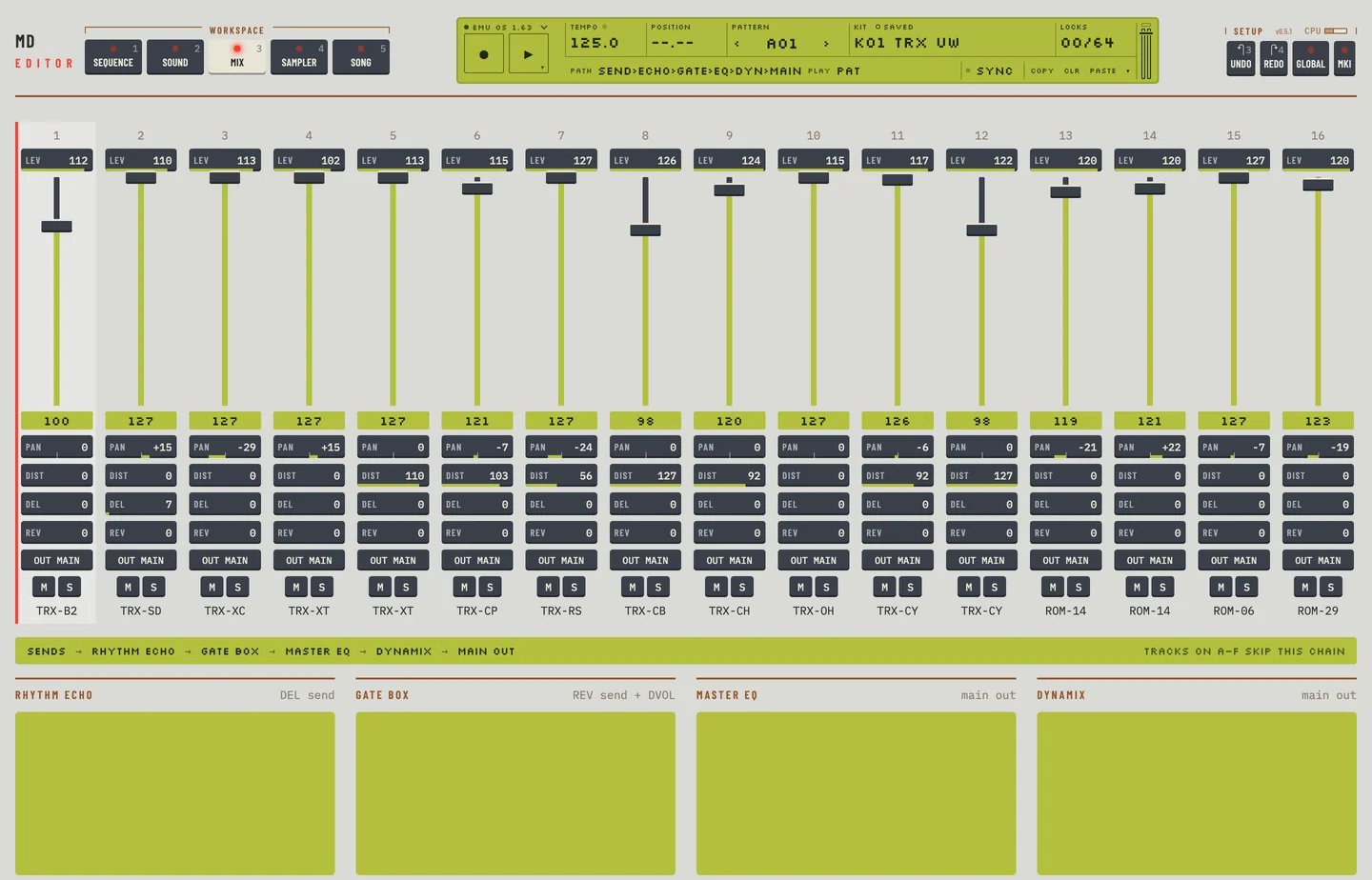
The master effects are part of the kit. Save the kit to keep your changes.
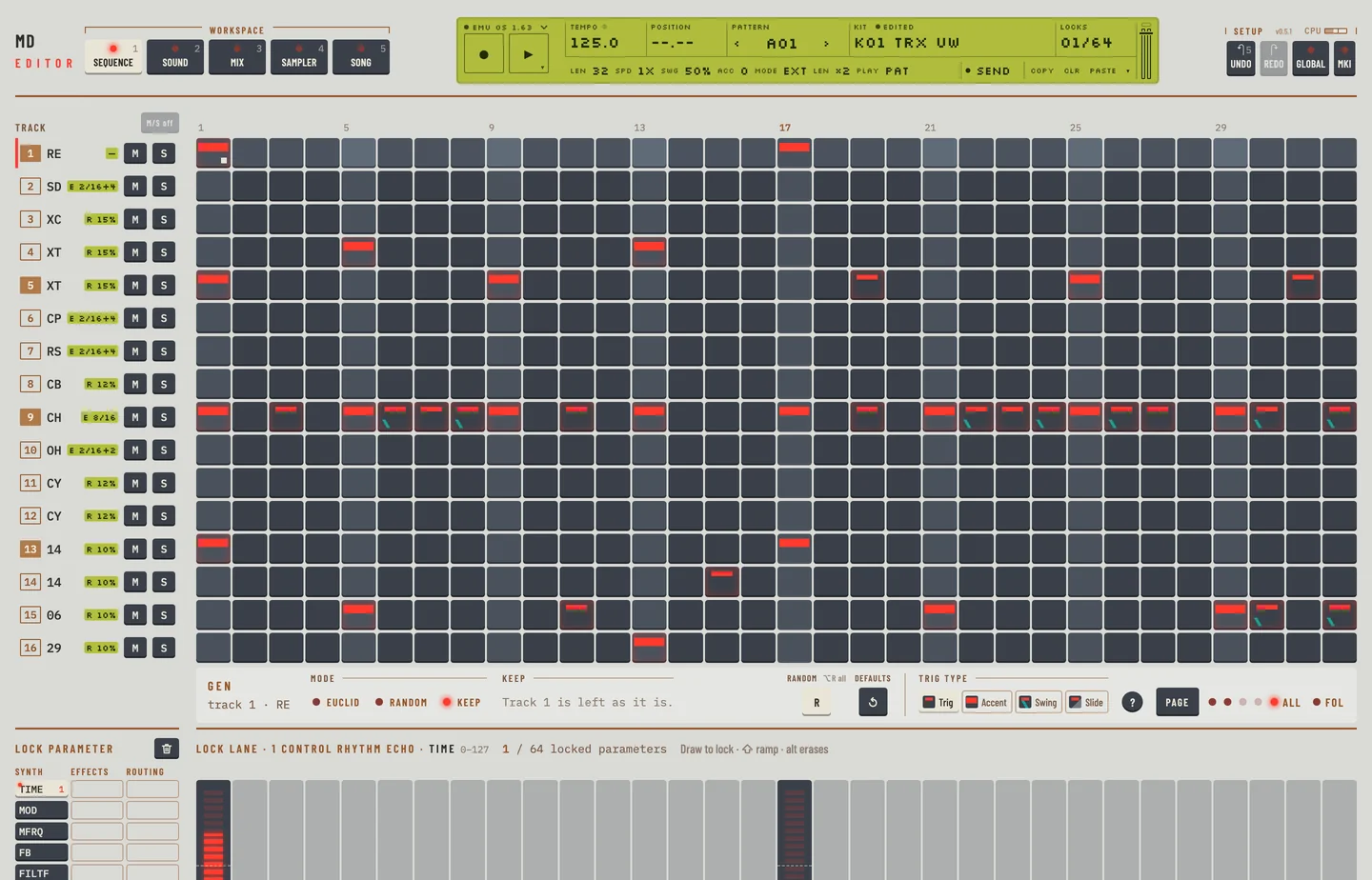
You cannot lock the master effects on the Mix workspace. To change them from the sequencer, use a CTR machine on a track. The machines CTR-RE, CTR-GB, CTR-EQ and CTR-DX hold the parameters of the Rhythm Echo, the Gate Box, the master EQ and Dynamix. They make no sound. On the Kit workspace they show the same groups as the cards, and you lock their parameters in the lock lane like any other.
To lock the Rhythm Echo time on a step:
- Click the Kit tab and select a track on the rail.
- Choose CTR-RE in the machine menu of the track. The track now stands for the Rhythm Echo.
- Click the Pattern tab. Click a step of that track to put a trig on it.
- Click the TIME key under Lock parameter, then drag across the lock lane over the trig. The step holds its own echo time.
THE RHYTHM ECHO DELAY #
MD manual p.29
The card Rhythm Echo is a delay in time with the tempo. Its sends come from the DEL parameter of the tracks.
| Parameter | What it does |
|---|---|
| TIME | the delay time, in 128th notes: 64 is two beats |
| MOD | the depth of the modulation of the time |
| MFRQ | the frequency of that modulation |
| FB | the feedback |
| FILTF | the base frequency of the filter in the feedback |
| FILTW | the width of that filter |
| MONO | the panning of the feedback: low values give a ping-pong echo, high values keep the stereo image |
| LEV | the output level of the effect |
The screen shows the repeats. Drag its dot sideways for TIME and up for FB. With FB at 64 each repeat is as loud as the one before. Above 64 the repeats grow, and the screen says so.
THE GATE BOX REVERB #
MD manual p.30
The card Gate Box is a reverb for percussion, with a gate. Its sends come from the REV parameter of the tracks.
| Parameter | What it does |
|---|---|
| DVOL | how much of the Rhythm Echo's output goes into the reverb |
| PRED | the pre-delay |
| DEC | the decay time, 0.5 to 3 seconds |
| DAMP | the damping of the high frequencies |
| HP | a high-pass filter on the output |
| LP | a low-pass filter on the output |
| GATE | the gate time; at 127 the gate is off |
| LEV | the output level of the reverb |
The screen shows the reverb tail. Its three dots set PRED, DEC and GATE. The label under the screen reads "reverb · gate off" when GATE is at 127.
MASTER EQ #
MD manual p.30
The card Master EQ has a low shelf, a high shelf and one parametric band. It shapes the final stereo output.
| Parameter | What it does |
|---|---|
| LF, LG | the frequency and gain of the low shelf |
| HF, HG | the frequency and gain of the high shelf |
| PF, PG | the centre frequency and gain of the parametric band |
| PQ | the width of the parametric band; high values are narrow |
| GAIN | the output gain of the main stereo out |
The gains run from 0 to 127 in the boxes, with 64 flat. The screen shows the EQ curve. Each of its three dots sets a frequency sideways and a gain up or down.
THE DYNAMIX DYNAMICS PROCESSOR #
MD manual p.31
The card Dynamix is a compressor for percussion. It works on the main output.
| Parameter | What it does |
|---|---|
| ATCK | the attack time of the level detector; long times let fast transients through |
| REL | the release time |
| TRHD | the threshold, where compression starts |
| RTIO | the ratio |
| KNEE | the softness of the change at the threshold; low values give a hard knee |
| HP | a high-pass filter on the side chain, so bass does not trigger it |
| OUTG | the output gain, to make up for the loss |
| MIX | the balance of compressed and original signal; a high value bypasses the effect |
The screen shows input against output. The dashed line is a signal that passes unchanged. Drag the first dot sideways for TRHD. Drag the dot at the right end for RTIO.