Routing page
The routing parameters set how a track's sound goes through the distortion, the volume and pan, and on to the effect buses. They are part of the kit.
There are two places to set them:
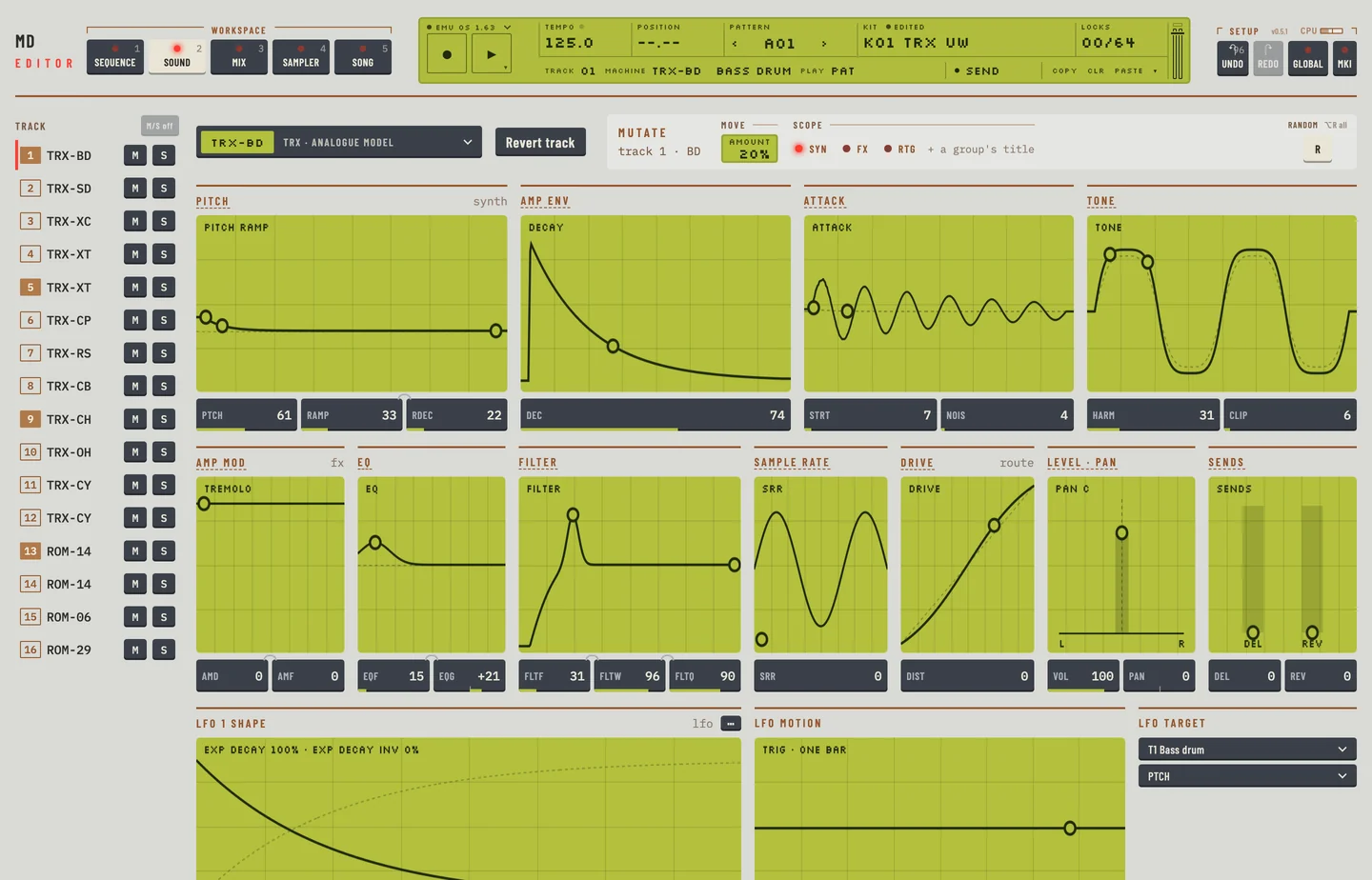
- On the Kit workspace they are groups of the second row, after the track effects: Drive, Level · pan and Sends. A small word at the right of the first one names the machine's ROUTING page.
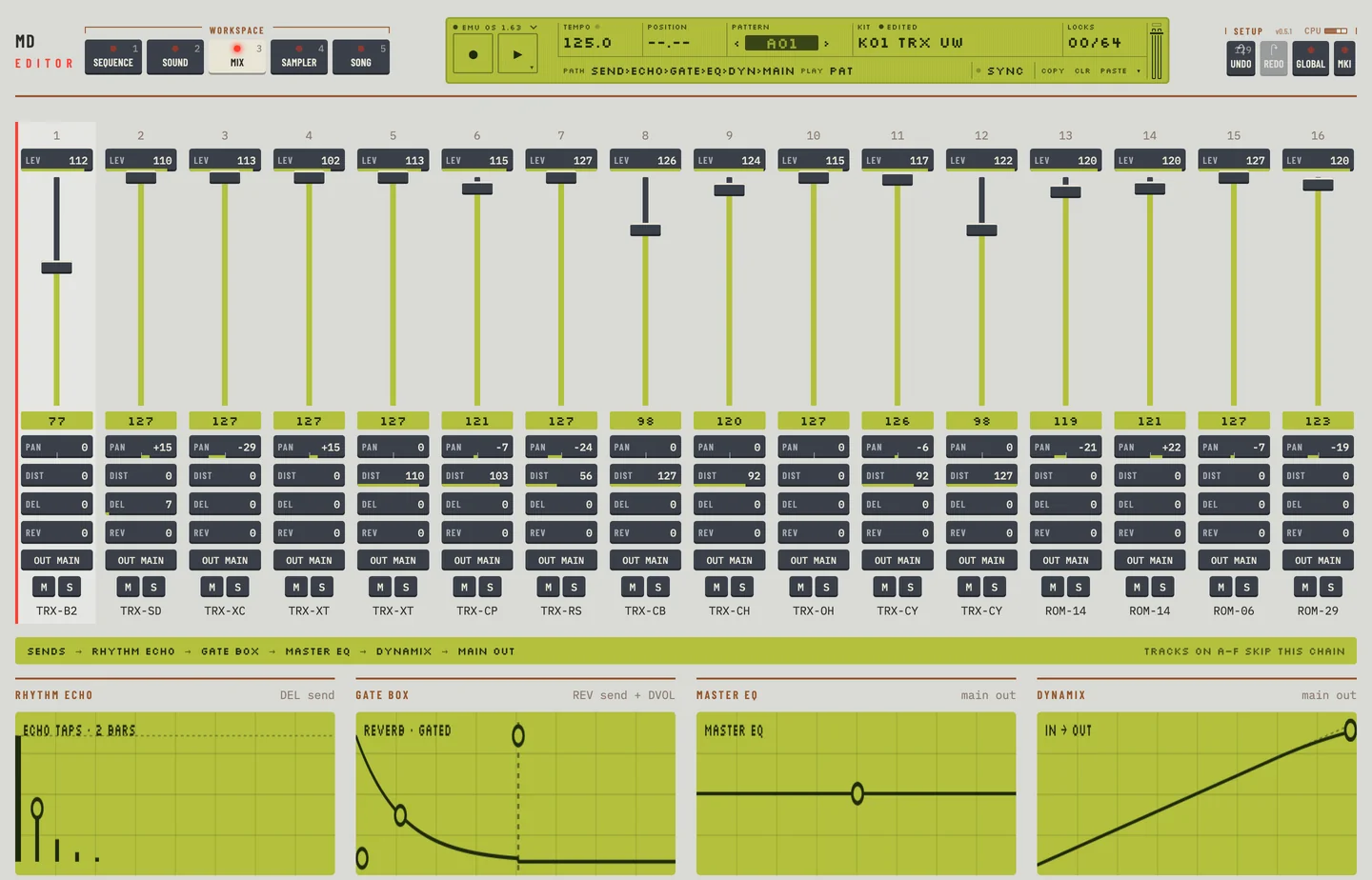
- On the Mix workspace each track has a strip with its VOL fader and the PAN, DIST, DEL and REV boxes.
To lock a routing parameter to a step, open the Pattern workspace and click its key in the lock lane, in the row of keys labelled Routing.
DISTORTION #
MD manual p.25
DIST controls the distortion of the track. It acts after the track effects and before the volume and pan.
The group Drive shows input against output. The dashed line is a clean signal.
To set it:
- Click the Kit tab.
- Select the track on the rail. The page shows the synthesis, effects and routing groups together.
- Drag the dot in Drive, or click the DIST box and press the up or down arrow key. The value changes in the kit.
On the Mix workspace use the DIST box of the strip.
VOLUME #
MD manual p.25
VOL is the volume of the track. It is separate from the overall gain of the track and, unlike it, can be locked and moved by an LFO.
On the Mix workspace VOL is the fader of the strip. Drag the fader, or press [↑] or [↓] while it has focus. Double-click it to set 100. On the Kit workspace VOL is in the group Level · pan.
To take a change back, press [⌘] + [Z]. The fader goes back to where it was.
PAN #
MD manual p.26
PAN places the track in the stereo field of the main outputs. It shows -64 for hard left to +63 for hard right, and 0 for the centre.
On the Kit workspace the group Level · pan has one dot: sideways sets PAN, upward sets VOL. On the Mix workspace drag the PAN box of the strip sideways. Press [⌘] + [Z] to take the change back.
DELAY SEND #
MD manual p.26
DEL sets how much of the track goes to the Rhythm Echo, the delay of the master effects.
On the Kit workspace the group Sends has two bars, one for DEL and one for REV. Drag the dot on a bar, or click the box and press the up or down arrow key. On the Mix workspace use the DEL box.
A track on an individual output, A to F, has no delay. Its DEL box is greyed on the Mix workspace, with a note, and the value is kept.
REVERB SEND #
MD manual p.27
REV sets how much of the track goes to the Gate Box, the reverb of the master effects. It is set in the same places as DEL.
A track on an individual output has no reverb. Its REV box is greyed in the same way.
LFO CONTROL #
MD manual p.27
The three routing parameters LFOS, LFOD and LFOM are the speed, depth and mix of the track's LFO. They are the same kit values as SPD, DEPTH and SHMIX in the LFO group of the Kit workspace, so the LFO group holds all three. Chapter 7 describes the LFO.
Click any of the three boxes in the LFO group and press the up or down arrow key. Each one moves its own routing value and no other.
When you lock LFOS, LFOD or LFOM on a step, the lock also shows on the box of the LFO group.