The MIDI sequencer
The Monomachine has six MIDI tracks next to its six synth tracks. They send notes and controller values to other instruments. The editor edits them on Pattern, with the same roll, docks and rows.
USING THE MIDI SEQUENCER #
MM manual p.1-70
- Press [1].
- Click MIDI under the rail, or click SEQ on the second line of the LCD until it reads MIDI. The rail shows M1 to M6.
- Click a track. It shows its MIDI channel, for example CH 03. M mutes it and S solos it.
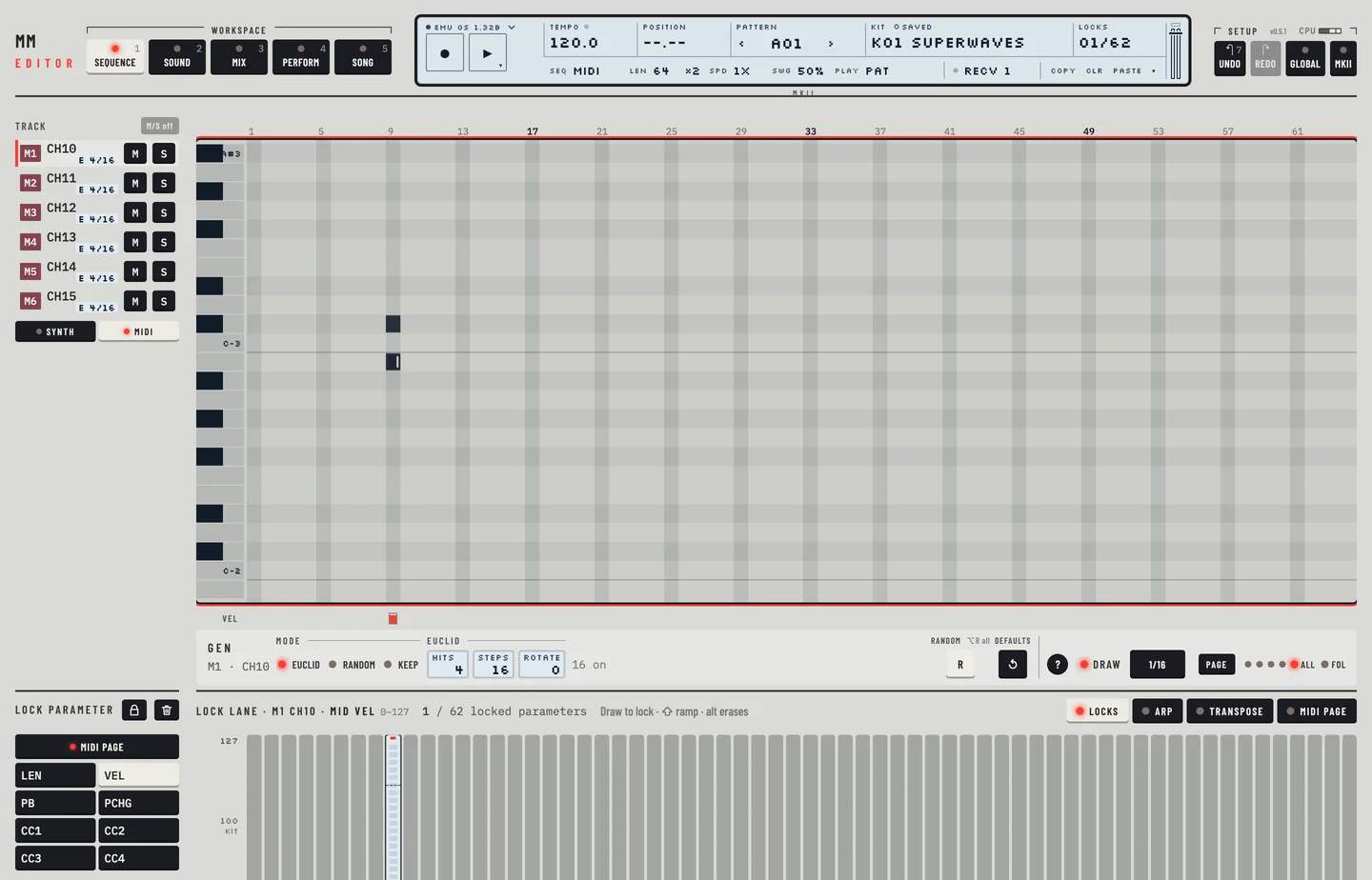
- Draw notes in the roll as on a synth track. See chapter 11. A note you click in the roll of one MIDI track changes that track only.
- To write a chord, hold [⇧] and click another pitch on a step that has a note. The notes of a chord share one length.
On Kit the same SYNTH and MIDI keys switch between the six synth tracks and the six MIDI tracks. On Perform, the Mutes card has M1 to M6 for the MIDI tracks. Click one to mute the track and click it again to unmute it.
A MIDI note has a real length. To set it:
- Switch Draw on, choose 1/16 and click a cell. The note is 6 ticks long, one step.
- Drag the end of the note over two more steps. The length reads 18, three steps.
- Press [⌘] + [Z] to take a change back.
The editor writes the note's LEN, 6 to a step. The row under the roll is VEL, the velocity of each note. You can lock any value of the MIDI page on a step with the lock lane. See chapter 13.
THE MIDI PAGE #
MM manual pp.1-71, 1-108, 1-109
Click MIDI page in the header of the lock lane. The tab holds these values:
- LEN: the length of a note, 1 to 127. 127 lasts until a NOTE OFF. Dragging a note's end sets it.
- VEL: the velocity.
- PB: the pitch bend.
- PCHG: a program change. It is sent only when you lock it on a step.
- CC 1 to CC 4: the values of four controllers.
Below the controller values are the boxes CL1 to CL4. They choose the controller number of each. Choose AFT to send aftertouch.
To write a value on a step:
- Select a MIDI track and a step that has a note.
- In the lock lane choose MIDI page, then the value: VEL, PB or PCHG.
- Draw the bar on the step. The value is a lock of that step. A program change goes out only when you lock it.
- Type 74 in CL1 to make the first controller CC 74. Type AFT in CL2 to send aftertouch from the second. The numbers belong to the selected track only.
The Channel keys 1 to 16 set the MIDI channel of the track. Choose 4 and only that track changes.
COMPARISON #
MM manual p.1-71
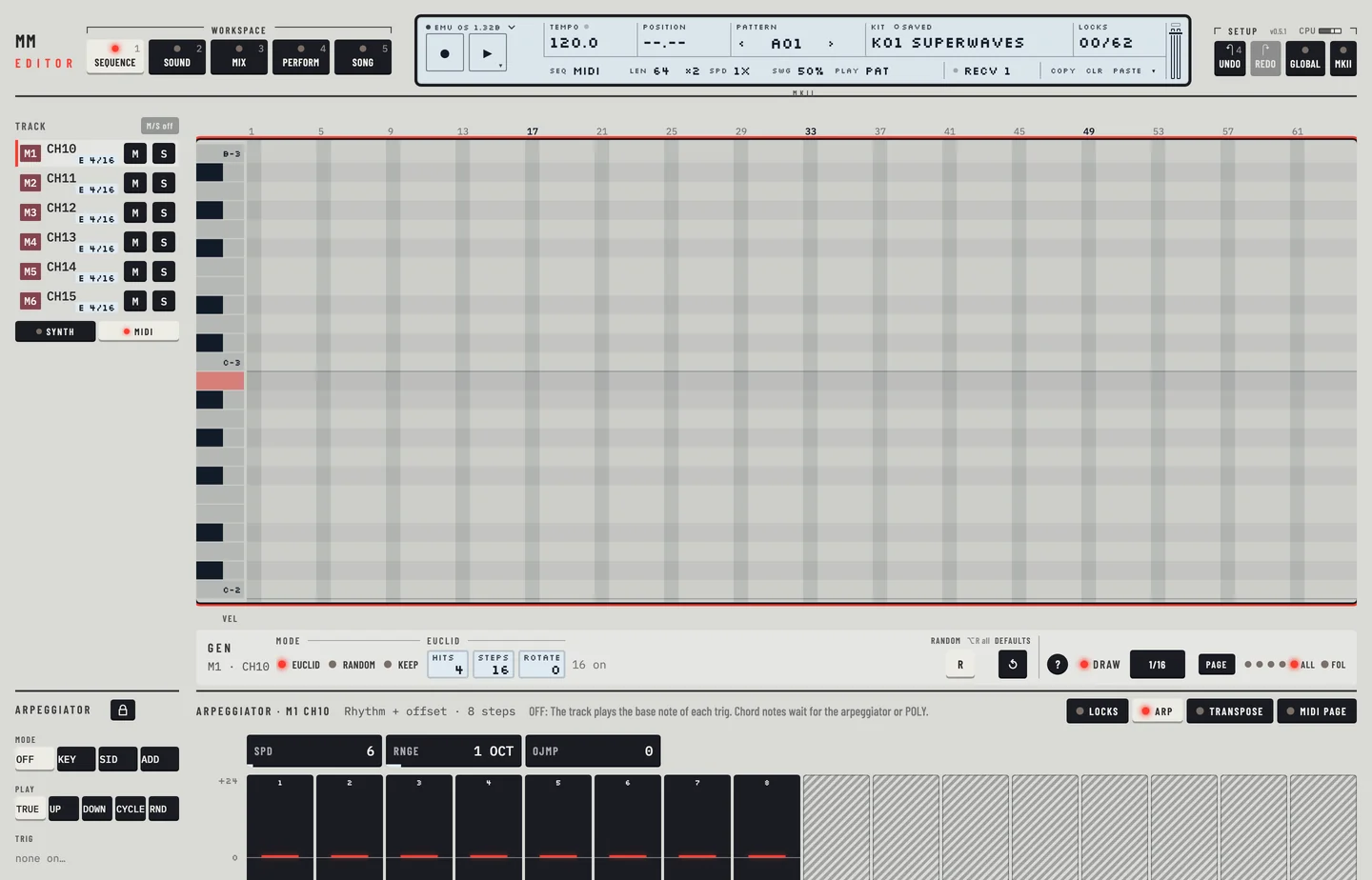
A MIDI track has no trig tracks, so its row under the roll shows the velocity, without the A, F and L dots. The step menu has no envelopes or trigless trig for it. It has an arpeggiator without envelope switches, swing, slide and transpose, in the same tabs as a synth track.
- Drag across four step columns of Slide under the roll. Those steps slide.
- Click Swing on a column to flip the swing of that step.
- Open the transpose tab and type +3 in TRACK. The pattern holds 3 for the track.
- Open the Arp tab. It says a MIDI track has no envelope switches.
The MIDI page is stored in the kit, so edits of it are kit edits. Raise VEL, save the kit to its slot and the slot holds the value.
The internal tracks can send MIDI too. On the GLOBAL page, the Control out 1 card sends the notes of the sequencer, the arpeggiator or the keyboard to MIDI out, with or without the sound of the tracks. See chapter 19.
- Open GLOBAL.
- On Control out 1, click OUT for Sequencer. The page warns that the tracks play no sound.
- Click INT+OUT for Keyboard, then INT for Sequencer. The warning goes.